
Imagine this: an employee connects an AI assistant to a shared workspace to pull together a project update. Another team builds an agent that reads customer records and updates support tickets. Both workflows can save time. But can the security team see which data they use, whose permissions they run under, and what actions they can take? Those questions are a practical starting point for AI security.
The reality of today (not some hypothetical future) is that AI is now a part of everyday SaaS workflows. Security teams need to understand that access before they can decide where to restrict it, what to monitor, and when to intervene.
While this all sounds new and unknown, we’re here to bring some comfort in the chaos. You don’t need an entirely new playbook. It always comes back to the fundamentals: visibility, least privilege, Zero Trust, and continuous monitoring. Applying them to AI gives you a way to move forward without rebuilding your security program from scratch. The main thing that’s changing is that as agents gain autonomy (and therefore control), that foundation also needs protections for how AI interprets instructions and acts on them.
Key takeaways
- AI agents can operate through non-human identities (NHIs) or delegated user access, making their permissions and connections part of the SaaS attack surface
- An effective inventory connects each agent to its owner, business purpose, accessible data, and permitted actions
- Established security controls provide a foundation, with additional protections needed for AI prompts and runtime behavior
- Start with sensitive data and consequential actions, then expand coverage as you learn
AI widens the visibility gap that already exist in SaaS environments
SaaS visibility is often split across teams. An app owner understands the workflows inside a platform. The IAM team manages who can sign in. Security may receive alerts without seeing all the configurations, third-party connections, or sharing settings behind them.
AI introduces even more activity within those gaps. A team can enable an embedded assistant or connect an external AI service without giving security a clear view of the resulting access. Shadow AI includes this unmanaged use of AI within approved applications, as well as unsanctioned standalone tools.
Agents also vary in how they operate. Some act on behalf of a user and inherit that user’s access. Others use a service account or another non-human identity. Depending on their configuration, they may retrieve documents, change records, call connected tools, or trigger workflows with limited human involvement.
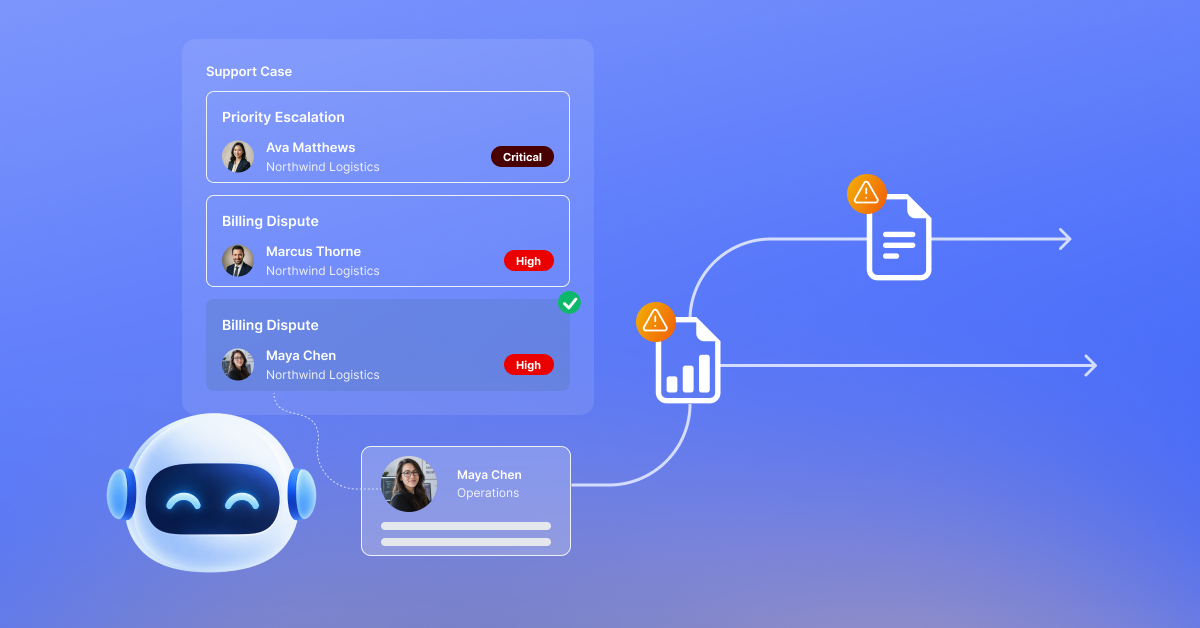
Consider an AI agent in a SaaS platform created to summarize support cases (e.g. Now Assist in ServiceNow). If its connection also grants access to unrelated customer records and permission to export them, its authority extends beyond its assigned task. The gap begins with access. Automation can increase how much data that gap exposes and how quickly.
This is why approving AI usage inside SaaS is only part of the decision. Security teams also need to understand what each deployment can do inside their own environment.
Agentic AI: Make visibility useful enough to act on
Taking inventory of AI agents is a good first step. To guide security decisions, your inventory needs to show the relationships between AI agents, identities, connected applications, and business data. Without that added layer, you can’t really take action to remediate issues.
For each agent or AI integration, establish:
- The business owner and the task it is intended to perform
- The identity, account, or token it uses to access applications
- The data it can reach, including access inherited through users or groups
- The actions it can take, such as reading, changing, exporting, or sharing information
- The connected tools and destinations involved in its workflow
- The activity records available to verify what it actually does
Compare those findings with the intended use. An agent with broad access to confidential records deserves closer attention than one limited to an approved set of public documents. The ability to change permissions or send data externally should also affect priority.
Visibility will differ by platform. Some services expose detailed agent activity; others offer limited logs or configuration information. Record those gaps so the team can decide whether to limit a workflow, add controls, or defer higher-risk uses until it can monitor them adequately.
3 security principles to apply to AI in SaaS
Familiar security practices give teams a method to address what discovery reveals. Questions about access, configuration, and activity remain central when the operator is an AI agent.
1. Scope access to the task
Least privilege starts with a specific business purpose. For the support case agent, determine which cases and fields it needs to read. If it only produces summaries, remove unnecessary write and export permissions where the platform allows it.
Review the full access path. A narrowly configured agent may still use an overly privileged service account or connect to a repository with permissive sharing settings. Restricting its stated purpose in a prompt does not change those underlying permissions. Be sure to review all of these potential vulnerabilities.
2. Verify authority at the point of action
Apply Zero Trust principles to agents and their connected tools. Approval to use an AI service should not automatically authorize every action it requests. Use application and tool controls to verify the identity and enforce access to each resource.
For more consequential actions, such as changing access settings or sending sensitive information outside the organization, consider an explicit human approval step. Match the level of autonomy to the impact of a mistake and the controls available to contain it. Checks and balances like this will help protect your organization and sensitive data.
3. Monitor changes after deployment
An initial review captures one point in time. Group membership, connected tools, data sharing, and agent configurations can change afterward. Continuous posture monitoring, on the other hand, helps teams identify when an approved workflow gains access or capabilities beyond its original scope.
AI Security Posture Management, or AISPM, applies discovery and ongoing assessment to AI systems and their associated access and configurations. Within SaaS, that work should connect to the existing security posture program so teams can assess an agent alongside the application and data it depends on.
Give each agent an accountable owner, define when changes require review, and remove unused connections and credentials when the workflow ends. These practices make governance part of operating the agent throughout its lifecycle.
How to secure AI prompts and agentic AI behavior
Access controls reduce the potential impact of an incident. AI also needs controls for what happens while it processes information and uses tools.
For example, an agent might encounter malicious instructions embedded in a support ticket or document. An indirect prompt injection attempts to make it treat that content as an instruction and act outside its intended task. Even an agent with legitimate access can misuse that access if its behavior is manipulated.
Use layered protections appropriate to the workflow. These can include checking inputs for malicious instructions, inspecting outputs for sensitive data, restricting available tools, and requiring approval before high-impact actions. Enforce permissions through the applications and tools the agent uses.
Monitoring should help establish whether activity fits the agent’s purpose. Unusual data retrieval, an unexpected destination, or a new sequence of tool calls can warrant investigation. Define how responders can pause the workflow or revoke its access, and test that process before expanding autonomy.
Starting with AI security? First, look at your organization’s core SaaS and AI apps
Teams can make progress without resolving every AI security question across the enterprise at once. Choose a core SaaS or AI app (or handful of them) that stores your most important data, work with its app owner, and follow any AI agent through a workflow from the initial request through its connected tools and final output.
Use what you learn to close unnecessary access, correct configuration gaps, and establish a response path. Then apply the same approach to other workflows, prioritizing those with sensitive data, broad permissions, or the ability to make consequential changes.
Track whether the program is improving control. Useful measures include agents with named owners, excessive permissions removed, and workflows with monitored activity and a tested way to revoke access. An inventory count alone cannot show whether risk is falling.
AppOmni supports this approach through AI Agent Inventory and AISPM for visibility and posture assessment, AgentGuard for runtime protection in supported environments, and Marlin AI for AI-powered correlation and investigation of security findings. These capabilities connect AI oversight to the broader SaaS security program.
AI security becomes more manageable when teams can explain what an agent is for, what it can access, and how they will respond if its behavior changes. Start with that visibility, act on the most consequential gaps, and stay on top of governance as adoption grows.