
Secure Your Zoom Platform with AppOmni
Don’t let system-role or user-role permissions slip through the cracks
AppOmni for Zoom
Zoom’s versatility and ease of use allows every type of company to stay connected and drive their business forward. This has been invaluable with the rapid rise of a remote workforce. But this overnight adoption of Zoom means new and unique risks and configuration challenges for IT and Security teams.

Discover Your Zoom Security Posture
Obtain powerful insights and instant visibility into your organization’s Zoom security posture with our strategic integration with Zoom. This allows you to garner details and events around your company’s Zoom configurations, including details on upcoming meetings without passwords, recordings without passwords, and recordings shared publicly. AppOmni also provides the unique ability to gain visibility into your users’ Zoom client versions, spanning all the devices they have ever used to connect to a meeting, giving your IT and Security teams posture intelligence to drive patch management.
Customize Policies at Granular Level
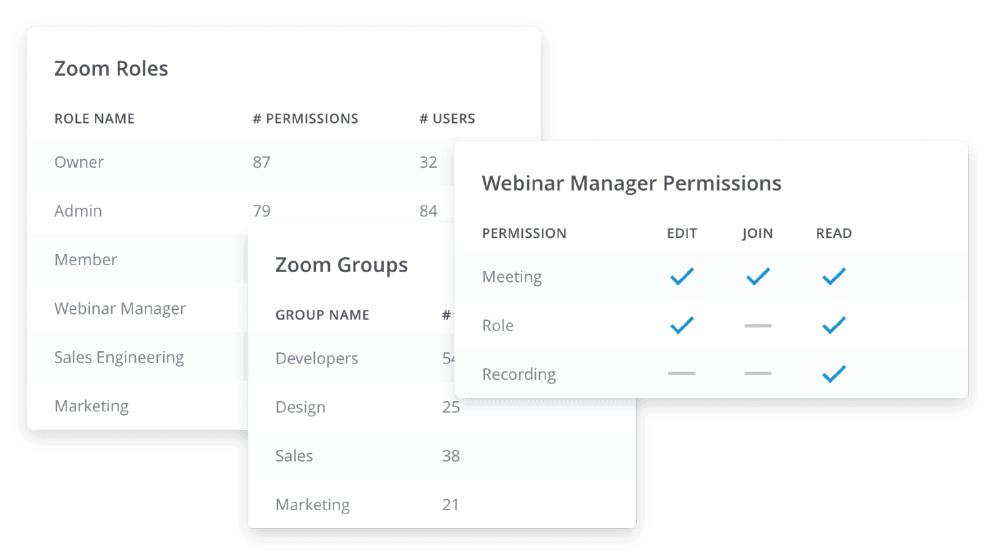
Zoom provides granular configuration options to manage system role and user role permissions within their application.Leverage AppOmni’s Service Configuration Policies to gain visibility around system–role and user–role permissions. You also have the ability to create and enforce policies that reduce overly permissive role permissions while decreasing administrative overhead.


Streamline Detection and Monitoring
Receive enriched Zoom security event data that is consistent and normalized so it can be easily consumed and actioned via your preferences. Our team of SaaS security experts continually develops enriched security-relevant events for additional analysis capabilities.
By leveraging AppOmni’s workflows and integrations into third party task management software tools we make it easy for your team to view and triage issues via established processes and automation for timely resolution.
Related Resources
-

ConnectWise Cloud Backup Compromise in Microsoft 365: What Happened and What to Do Now
Key Takeaways What happened to ConnectWise Cloud Backup, and who is affected? This is a supply-chain attack on a Microsoft 365 backup app. Attackers obtained a credential for ConnectWise Cloud Backup app (formerly SkyKick) and used it, as the app’s service principal (the identity an app uses inside a tenant), to sign in to customer…
-

AI Security Starts with Visibility Into Your SaaS Environment
Can your security team see what data AI agents use, whose permissions they run under, and what they can do? Start with visibility into your SaaS environment.
-

Walk, Run, Fly: A Practical Framework for SaaS Security Prioritization
Learn how to prioritize the SaaS applications that matter most using a practical 80/20 framework to reduce risk, strengthen security, and build a scalable SaaS security program.